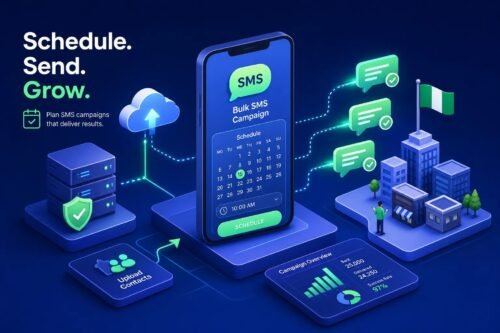
Scheduling bulk SMS means composing your message in advance, selecting a future delivery date and time, and letting the platform dispatch it automatically without any manual intervention on the day. Nigeria Bulk SMS has this feature built directly into its dashboard, so Nigerian businesses can queue up promotions, appointment reminders, and transaction alerts days or even weeks ahead of time. The result is a campaign that reaches the right audience at exactly the right moment, regardless of what else is happening in your business on that day.
Too many businesses send bulk SMS reactively, at whatever time happens to be convenient for the sender, rather than at the time most likely to drive action from the recipient. This guide fixes that. You will learn how to pick the right send window for a Nigerian audience, how to organise your contacts before scheduling, how to set up a scheduled campaign on a dashboard, and how to automate recurring sends so your campaigns run without daily effort.
Key takeaways
- Schedule, do not send reactively: Pre-scheduling ensures messages reach customers at the moments they are most receptive, freeing you from daily manual pressure.
- Best general windows: Tuesday to Thursday, between 10:00 a.m. and 12:00 p.m. or 2:00 p.m. and 5:00 p.m. WAT, consistently produce the strongest engagement for Nigerian campaigns.
- Segment before you schedule: One message to every contact leaves significant engagement on the table. Grouping contacts by behaviour, location, or status dramatically improves results.
- Personalise at scale: Text Merge lets scheduled messages open with each recipient’s name, turning a broadcast into a personal communication.
- Automate recurring sends: Weekly promotions, monthly loyalty rewards, and appointment reminders can be set up once and run on their own cadence.
- Review delivery reports: Every scheduled campaign should be followed by a report review to clean lists and refine timing for the next send.
Why scheduling bulk SMS beats sending on the spot
The case for planning your sends in advance
Pre-scheduling removes the daily pressure of manual sending entirely. A business owner running a Friday promotion can set the entire campaign up on Tuesday and spend the rest of the week focused on other priorities, knowing the message will go out at exactly the right time. Delivery consistency improves too: the platform dispatches scheduled messages at optimal infrastructure capacity, rather than during a rushed, human-triggered send that may coincide with peak network congestion.
There is also a quality benefit that most businesses overlook. When you schedule in advance, you have time to review the message copy, check the recipient list, confirm the sender ID, and preview the campaign before it goes anywhere. Reactive sends, by contrast, are prone to errors because everything happens under time pressure, and a single typo in a message going to 10,000 contacts is both costly and damaging to your brand perception.
Campaign coordination becomes simpler
Scheduling lets marketing and operations teams stay properly aligned. When a promotion is tied to a product restock, a salary-day date, or a seasonal event like Christmas or Sallah, scheduling in advance ensures the SMS lands at exactly the right moment without relying on someone remembering to press send. Reactive sending regularly results in messages going out late or at entirely the wrong time because of competing priorities on the day.
When is the best time to schedule bulk SMS in Nigeria?
The strongest send windows for a Nigerian audience
Tuesday to Thursday, between 10:00 a.m. and 12:00 p.m. or 2:00 p.m. and 5:00 p.m. WAT, consistently produce the highest engagement for general campaigns. These windows work because recipients are at their desks or actively on their phones during mid-morning and early afternoon, and mid-week messages do not compete with Monday morning overload or weekend leisure distractions. If you run a single general-purpose promotion each week, this is your default scheduling window.
A useful secondary window for retail, entertainment, and food businesses is 5:00 p.m. to 7:00 p.m. This catches people wrapping up their workday, making decisions about dinner, or scrolling through their phones on the commute home. Friday sends also work well for businesses targeting weekend spending intent.
Timing by industry: what works for your sector
| Industry | Best days | Recommended time (WAT) |
|---|---|---|
| Banking and fintech | Tuesday–Thursday | 7:30–9:00 a.m.; 12:00–2:00 p.m. |
| Retail and e-commerce | Tuesday–Thursday; Friday; Saturday | 10:00 a.m.–12:00 p.m.; 6:00–8:00 p.m. |
| Food and restaurants | Thursday–Saturday | 11:00 a.m.–1:00 p.m.; 5:00–7:00 p.m. |
| Healthcare | Tuesday–Thursday | 9:00–11:00 a.m. |
| Events and entertainment | Thursday–Saturday | 10:00 a.m.–12:00 p.m. weekdays; 9:00 a.m.–12:00 p.m. Saturday |
| B2B and professional services | Tuesday–Thursday | 10:00 a.m.–12:00 p.m.; 2:00–4:00 p.m. |
| Transactional (OTP, alerts) | Any day | Immediately, based on the customer event |
What to avoid when picking a send time
Never schedule promotional SMS before 8:00 a.m. or after 8:00 p.m. WAT. Early morning and late-night messages feel intrusive and damage brand perception over time. The Nigerian Communications Commission (NCC) framework aligns with carrier guidance that treats 8:00 a.m. to 8:00 p.m. WAT as the safe operating window for promotional sends. Beyond this, avoid sending during major religious observances, public holidays, and high-profile football matches, as engagement drops sharply during these periods.
How to segment your contacts before you schedule
Why one list and one message rarely works
Sending the same message to every contact at the same time leaves significant engagement on the table. A new customer needs a different message than a loyal repeat buyer. A contact in Abuja shopping for office supplies has different priorities from one in Port Harcourt browsing restaurant offers. Segmentation is what transforms a broadcast into relevant communication that people actually act on.
Practical ways to group your audience
Start with these segmentation approaches, which work for most Nigerian businesses. Group contacts by purchase recency: customers who bought in the last 30 days versus dormant contacts who have not engaged in three months. Separate promotional subscribers from those who only receive transactional alerts. Segment by location for city-specific offers, and by engagement level for re-activation campaigns aimed at lapsed customers.
Nigeria Bulk SMS’s Phonebook Directory feature lets you store and organise contacts into named groups, making it straightforward to apply the right campaign to the right segment without rebuilding your list each time.
Personalising scheduled messages with merge fields
Text Merge, which Nigeria Bulk SMS calls Customised SMS, adds a layer of personalisation that makes segmented campaigns feel individual. When a scheduled message opens with a recipient’s first name, it reads as a direct communication rather than a mass blast. Setting this up requires mapping the name column in your contact file to a merge field in the message template, something the platform handles during the upload step without any technical knowledge required.
How to schedule a bulk SMS campaign step by step
Setting up your campaign on the Nigeria Bulk SMS dashboard
The scheduling workflow on Nigeria Bulk SMS is accessible to any business owner with no technical background. Follow these steps to set up your first scheduled campaign.
- Log in to your Nigeria Bulk SMS account.
- Navigate to the bulk SMS or campaigns section.
- Upload your contact list in CSV or Excel format, or select a saved Phonebook group.
- Compose your message and apply any merge fields for personalisation.
- Select your approved Sender ID so the message arrives under your business name.
- Choose “Schedule” instead of “Send Now.”
- Set the delivery date, time, and confirm the WAT timezone.
- Preview the campaign, verify recipient count and estimated cost in Naira, then confirm the schedule.
What to check before you confirm the schedule
Treat the preview step as non-negotiable. Errors in a message going to thousands of recipients are both costly and embarrassing, and there is no recall once a campaign dispatches. Before confirming, verify each of the following:
- Sender ID: Confirm it matches your approved business name.
- Merge fields: Check they are pulling the correct data from your contact file.
- Character count: Keep the message within a single SMS segment where possible (160 characters for standard GSM characters).
- DND scrubbing: Confirm the recipient list has been cleaned of opted-out numbers.
- Opt-out instruction: For promotional campaigns, include a clear opt-out line such as “Reply STOP to unsubscribe”, this satisfies NCC expectations and basic good practice.
How to automate recurring SMS for promotions and reminders
Setting up weekly promotions that run without you
Recurring scheduling goes beyond a single future send. Nigerian businesses running weekly flash sales, monthly loyalty rewards, or fortnightly newsletters can set up these campaigns once and let the scheduler repeat delivery on the chosen cadence. Nigeria Bulk SMS’s scheduling feature supports automated future delivery, meaning a business can plan an entire month of promotional sends in a single session rather than returning to the dashboard every week.
Appointment reminders and transactional recurring sends
Clinics, salons, and service businesses can schedule reminder messages 24 hours before confirmed appointments, reducing no-shows without any staff making manual calls. A practical workflow sends a booking confirmation immediately after the appointment is made, a reminder 48 hours before, and a final message on the day.
Financial services businesses can schedule payment-due reminders on consistent dates each month. These recurring, time-sensitive sends are where scheduled SMS delivers the clearest return on investment. The alternative, staff manually sending messages each time, introduces human error, delay, and unnecessary cost.
Keeping recurring campaigns fresh and compliant
Rotate message content periodically so recipients do not disengage from seeing identical text on every send. Even small variations, such as updating the offer details or changing the opening line, are enough to maintain engagement over time. Nigeria Bulk SMS makes it straightforward to update a scheduled campaign before it dispatches, so refreshing copy does not require starting the campaign from scratch. From a compliance standpoint, always include opt-out instructions in promotional messages and scrub your list against DND preferences before each campaign run.
Reading delivery reports and refining your next campaign
What your delivery reports are actually telling you
A scheduled send is only as good as the follow-through analysis. Delivery reports on Nigeria Bulk SMS show delivered, failed, and pending messages for every campaign. Patterns in failed deliveries can flag number formatting issues, invalid contacts, or routing problems that should be resolved before the next send. Reviewing these reports immediately after a campaign completes keeps your list clean and your delivery rates high over time.
A/B testing your send times across multiple campaigns
Run two versions of the same campaign at different times to discover what genuinely works for your specific audience. Send the same promotional message to two equal segments: one at 10:00 a.m. on Tuesday, another at 4:00 p.m. on Thursday. Compare response rates, link clicks, or redemption data across three or four campaigns. The winning window will become clear and can be used as your default going forward, grounded in actual data from your audience rather than general industry averages.
Start scheduling smarter with Nigeria Bulk SMS
Scheduling bulk SMS in Nigeria is not complicated, and businesses that do it intentionally will consistently outperform those that send reactively. The core actions are straightforward: choose send windows that match your audience and industry, organise contacts into logical segments before scheduling, use merge fields to personalise at scale, and automate recurring sends so campaigns run without daily effort on your part.
The platform gives Nigerian businesses everything needed to run professional, automated SMS campaigns without writing a single line of code. The built-in scheduling feature works alongside Sender ID customisation, Phonebook Directory, and Text Merge to deliver a complete campaign setup from one dashboard, all billed in Naira with no currency conversion friction. For developers who need more control, the SMS Gateway API supports scheduled and automated sends directly from your application.
Sign up for a Nigeria Bulk SMS account, load your contact list, and schedule your first campaign today. That difference between a message that lands at the right moment and one that gets ignored comes down to one decision, choosing the right send time before you press schedule.
Frequently Asked Questions
How does the scheduler handle timezones for my campaign?
Set the delivery time in West Africa Time (WAT) when you schedule, and confirm the WAT timezone in the scheduler; the platform dispatches messages based on that WAT setting. This ensures your campaign lands at the intended local moment for Nigerian recipients and avoids cross‑zone confusion.
How do I make sure my list is scrubbed for DND and opted‑out numbers?
Confirm the recipient list has been cleaned of opted‑out numbers and scrubbed against DND preferences before you confirm the schedule. I advise running this check at each campaign run, as delivery reports will help identify numbers to remove for future sends.
What length should my message be to avoid multiple SMS segments?
Keep the message within 160 characters for standard GSM characters to stay in a single SMS segment where possible. I recommend checking the character count in the preview step to avoid unexpected extra segments and higher costs.
Can I edit a scheduled campaign after I’ve set it but before it goes out?
Yes, you can update a scheduled campaign before it dispatches so you can refresh copy or change details without starting again. I suggest rotating message content periodically and using this update ability to keep recurring campaigns fresh and compliant.
How do I personalise scheduled messages with recipients’ names?
Map the name column in your contact file to a merge field during upload so the scheduler pulls each recipient’s first name into the message. The platform handles this mapping at upload, letting Text Merge (Customised SMS) open each message with the recipient’s name for personalisation at scale.